Group chats
A group chat is one conversation shared by multiple workspace members. It keeps one message history and one conversation-scoped sandbox. It is deliberately different from a topic, which is a container that can hold several conversations.
When to use a group chat
Choose a group chat when everyone should stay in one thread: a quick review, a handoff, or a short-lived discussion around the files already in a conversation. Choose a topic when the team needs separate threads under a shared project or incident.
| 1:1 conversation | Group chat | Topic | |
|---|---|---|---|
| Message history | One private thread | One shared thread | Several threads under one container |
| Membership | One human participant | Roster on the conversation | Roster shared by all child conversations |
| Sidebar | Standalone conversation row | Standalone conversation row with group state | Parent row with nested conversations |
| Sandbox scope | Personal | Conversation-scoped and shared | Topic-scoped and shared |
Turn a conversation into a group chat
- Open the conversation you want to share.
- Select Invite in the conversation header.
- Choose one or more existing workspace members and confirm Invite.
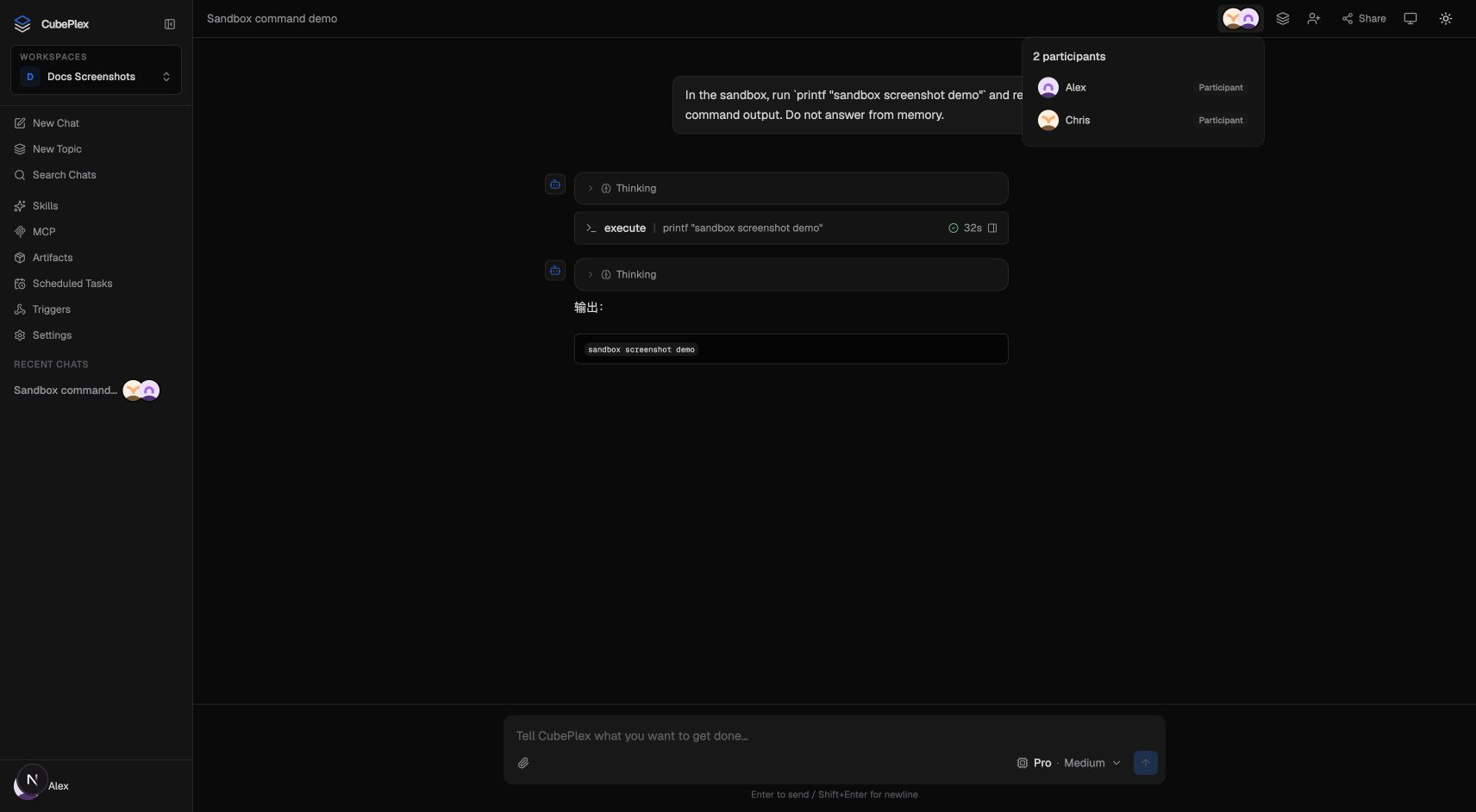
The existing conversation stays in place and becomes a group chat after the first invitation. Its message history is preserved; participants can see and reply in the same thread.
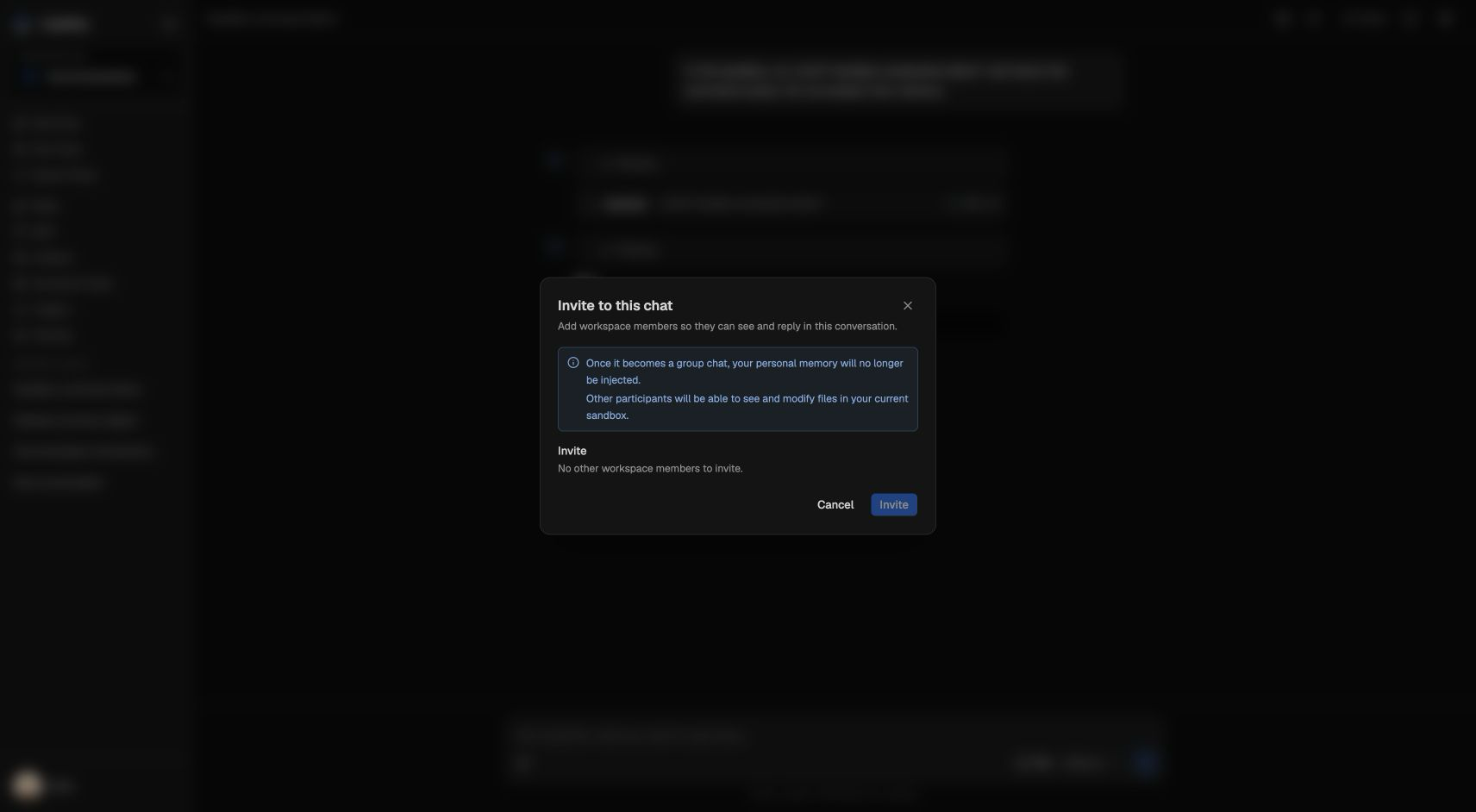
Only workspace members can be invited. An invitation does not add someone to the workspace or create an account.
After the invitation, the participant control in the conversation header shows the people who share this one thread:
Shared sandbox and memory
When a 1:1 conversation becomes a group chat:
- the conversation's sandbox becomes shared by the participants;
- participants can see and modify files in that sandbox;
- personal memory is no longer injected into the agent run.
This is a conversation-level change. It does not create a topic, and it does not create additional conversations. If the team needs a fresh isolated environment and multiple workstreams, create a topic instead.
Invite only people you trust with the conversation's current sandbox. Existing files and environment settings remain available to the group.
Group chat versus topic
The practical test is simple:
- One thread, one history: group chat.
- Several threads, one shared roster: topic.
An IM connector's shared routing mode maps to the first model. Its topic routing mode maps to the second. See IM Connectors.
Tips
- Invite members from the conversation you want to keep; the existing history is retained.
- Use a topic for parallel work instead of creating unrelated group chats.
- Treat the shared sandbox as collaborative state: every participant can change its files.