CubePlex Is Now Open Source

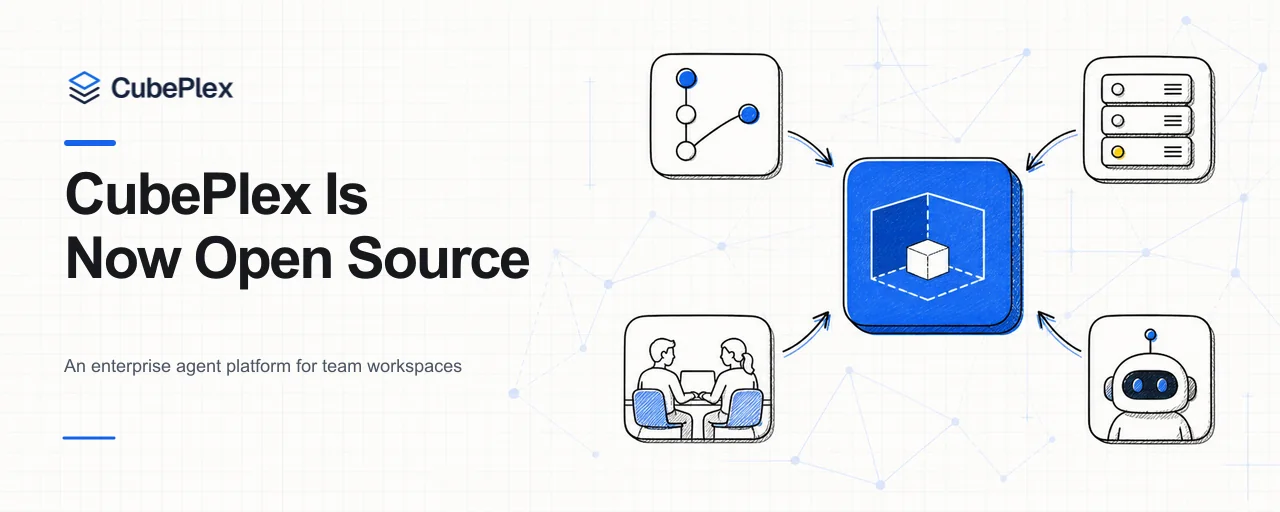
CubePlex is now open source. The backend, web application, deployment assets, and product documentation are available on GitHub.
There is a simple test for whether an agent has moved from a personal tool into a team workflow: can someone else rerun a successful AI workflow without reconstructing it from chat history and one person's memory? Agents can already write code, research a topic, process files, and call external tools. The harder problem is increasingly how to keep that work usable after the first run.
CubePlex is an open-source workspace built for managed agents. It brings conversations, team members, skills, memory, MCP tools, and isolated execution environments into one collaborative space, so agent work can be inspected, continued, and run again.
From a one-off answer to repeatable work
For an individual, it is often enough to keep chat history, a terminal directory, and browser sessions together for a while. That approach breaks down quickly in a team. Prompts stay in one person's conversation, project knowledge is scattered across threads, files sit in temporary directories, and only the original user knows how the tool connections were configured.
When someone else picks up the work a week later, they have to explain the context again, reconnect the tools, and move the previous output into a new environment. Much of the time saved on the first run is lost while rebuilding the working state.
CubePlex uses workspaces to preserve those working relationships. Team members, conversations, models, tools, and project knowledge belong to a defined workspace. The work remains there after someone closes the chat. A later task can reuse the same skills, memory, and tool connections, turning a successful run into a workflow the team can run again rather than a transcript it can only reference.
A workspace that preserves working state
A task usually starts with one request and grows into a series of operations: reading source material, editing code, installing dependencies, running commands, opening web pages, and producing a file or preview. CubePlex provides an independent sandbox for the workspace, where the agent can use files, a browser, a terminal, and local processes. Working directories, installed packages, and working trees persist across restarts, so the next task can continue from the previous result.
The sandbox handles commands, files, browsers, and local processes. The agent runtime runs on the platform side and manages model calls, tool execution, streaming responses, and conversation state. It is built on the open-source CubeLoop framework, with multi-provider model access, middleware, and checkpoints for long-running agent work.
Files, code, images, and previews produced by an agent remain in the conversation as versioned artifacts. The result might be a workbook, a report, or a working web application. Team members can inspect, download, and revise the actual deliverable, then rerun the workflow that produced it.
Collaboration in the same conversation
CubePlex lets workspace members join the same conversation. Everyone sees the same message history, works with the same conversation sandbox, and can open the files and artifacts the agent has produced. Handing off work does not require copying prompts or forwarding a bundle of attachments; another member can open the original conversation and see both the completed steps and the current result.
Teams also do not have to leave their existing communication channels to use an agent. CubePlex connects to Slack, Feishu, DingTalk, Teams, and Discord. When a member mentions the agent in a channel or direct message, it still uses the skills, memory, and MCP tools of the corresponding workspace. The agent becomes part of the team's existing workflow instead of another chatbot that only a few people know how to operate.
Skills, MCP, and memory
An agent that does real work needs to understand how the team operates and connect to the systems the team already uses. CubePlex supports both skills and MCP: skills capture procedures, knowledge, and operating methods, while MCP connects the agent to code repositories, documents, data, and business services. Teams can use built-in skills, upload their own, or install them from remote registries. CubePlex currently supports skills.sh and clawhub.ai, and can also integrate with an organization's internal skills platform. MCP tools can connect with static credentials or OAuth and then be granted to the appropriate workspace.
Memory has personal, workspace, and organization scopes. Personal preferences do not have to become company-wide defaults; project knowledge can stay with its workspace; organization-level conventions can be reused across teams. The agent receives context relevant to the work instead of starting each task from an increasingly long system prompt.
Work can also continue without someone watching the chat window. CubePlex supports scheduled, interval, one-shot, and webhook-triggered tasks. Organizations, workspaces, member roles, model access policies, and cost records are managed on the same platform.
Execution and access control
Code and files used during execution remain in an isolated sandbox instead of occupying a team member's computer. Administrators can configure outbound network policy to deny connections by default and allow only the network access required for the task.
In Kubernetes deployments, long-lived credentials do not have to be written directly into the sandbox. The agent sends placeholders, and the egress proxy substitutes real values only for approved hosts. Policies can also require human confirmation for sensitive commands. The agent loop pauses, shows the tool and data it is about to use, and waits for a team member to decide whether it should continue.
The complete application, open source
Agent platforms are still changing quickly. Models, tool protocols, and execution environments keep evolving, while identity, access, and deployment conventions differ from one company to another. A closed product cannot cover all of those combinations. Teams need to see how the system calls models, runs tools, and saves state, and they need the option to adapt it to their own infrastructure and workflows.
That is why we are releasing the complete CubePlex application. The repository includes the agent runtime, the team web interface, organization and workspace management, sandbox integration, Docker Compose, Helm charts, tests, and documentation. CubePlex can already be deployed and used as a complete system. You can get it running quickly on a single machine with Docker Compose, then decide how to connect your existing models, tools, and internal systems. For production deployments, we recommend Kubernetes.
Start from the source
Start with the CubePlex GitHub repository and follow the contribution guide to configure a local development environment. The project uses Python, TypeScript, pnpm, and Docker, with pre-submit checks covering backend, frontend, and end-to-end flows.
We welcome developers and platform engineers who are deploying agents for teams. Try CubePlex, open an issue, or submit a pull request.
Source and documentation
Open-source projects
Bring agents into your team's day-to-day work
CubePlex
A self-hosted AI agent workspace for teams to handle document, data, and cross-system work with centralized access control and execution records.
View CubePlex sourceCubeLoop
A high-performance, traceable, async-native Python agent framework with production-grade persistence.
Visit CubeLoop