CubePlex vs Dify: Long-Lived Agents vs Scenario-Specific Apps

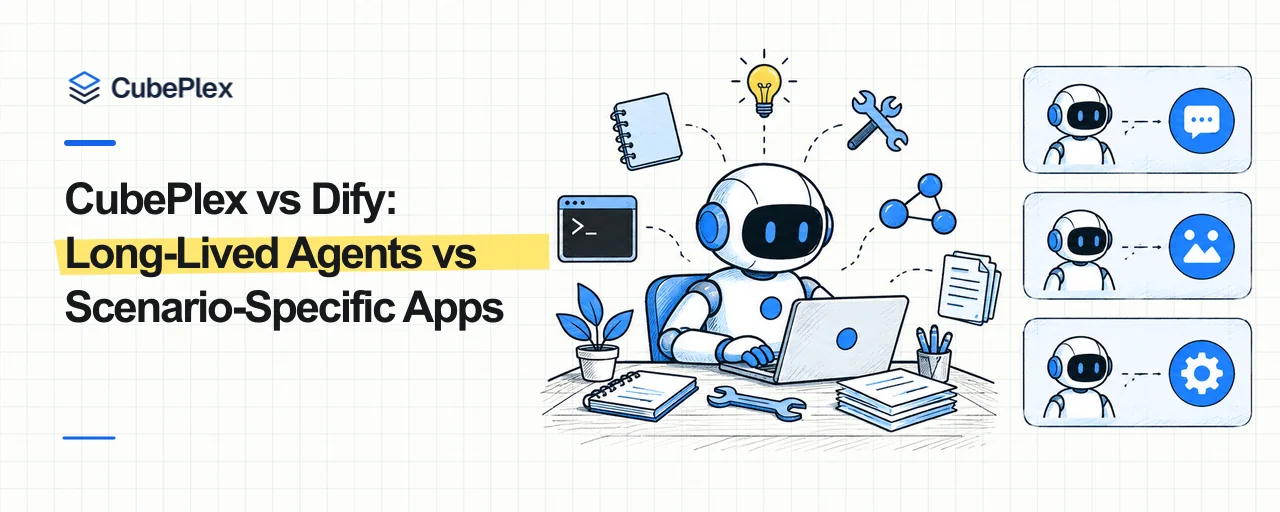
Agent products are taking two different approaches to how people get work done.
Dify starts with a defined scenario. A team identifies a problem such as customer support, knowledge Q&A, contract review, or report generation, then configures the model, Workflow, Knowledge, and tools for that problem. The result is published as a web app, API, embed, or MCP service. Users choose an App and work within the capabilities it was built to provide. Dify's source code and usage guides are available on GitHub and in its documentation.
CubePlex starts with a long-lived Agent. A person or team keeps using the same Agent in a Workspace and gives it different kinds of work over time. The Agent retains its role, memory, Skills, and MCP connections, and can operate a durable computer environment when a task requires one. Instead of switching among Apps for different scenarios, users return to an Agent that becomes familiar with how the team works. CubePlex also provides its source code and product documentation.
That difference shapes how the two products organize capabilities, state, and collaboration.

Dify: define a scenario, then publish an App
The primary deliverable in Dify Studio is an App. Builders use a Workflow or Chatflow to connect model calls, knowledge retrieval, tools, branches, and human input, then publish a tested version for end users. Workflows fit automation with defined inputs, steps, and outputs. Chatflows add conversation state to the same orchestration model.
This structure asks the team to define the problem before building the application. A customer-support assistant and a contract-review tool would normally be separate Apps, each with its own prompt, flow, knowledge, and published entry point. Builders change and publish the capability; users submit inputs and consume the result without editing the application itself.
Dify's New Agent brings more open-ended Agent behavior into this App model. A builder configures its model, prompt, Skills, Files, Tools, and environment variables, then publishes it as a standalone chat App or places it in a Workflow as an Agent node. Capability defines what the Agent can do; Task defines what one run asks it to accomplish.
A New Agent can run commands, install programs, and work with files during Build. Files and installations marked Persistent in Build become part of later versions of that Agent. Files and installations created during a published run remain temporary and do not change the Agent itself. Its prompt, Skills, and Tools can likewise be changed only in Configure or Build; an end user cannot permanently reconfigure the published Agent through a conversation.
New Agent therefore broadens the work one Dify App can perform, but the product relationship remains the same: a team builds and publishes the Agent first, and users invoke it through a web app, API, or Workflow node.
CubePlex: one Agent takes on changing work
The primary object in a CubePlex Workspace is not an App waiting to be published. It is the Agent that a person or team is already using.
The Workspace stores the Agent's Persona and binds its available Skills and MCP connections. Personal memory is visible only to the current user in that Workspace, Workspace memory is shared with members, and organization memory carries organization-wide information. A new conversation or a task arriving through the web, Slack, Feishu, or another IM channel continues to use that Workspace's Agent configuration. The team does not need separate Apps for research, writing, operations, and development.
This does not mean every task belongs in one endlessly growing chat history. CubePlex still uses separate conversations and Topics to bound task context. What persists across them is the Agent's role, capabilities, memory, and governance rules. Tasks remain separate without requiring the Agent to be configured again each time.
The Agent can use a Sandbox to work with files, run commands, and install tools. The current implementation binds a Sandbox to a user, group conversation, or Topic according to the collaboration mode; it does not expose one Workspace-wide filesystem to every member by default. The environment persists within its scope, while group conversations and Topics can share or isolate a Sandbox along their collaboration boundary.
CubePlex therefore keeps long-term state at two levels. The Workspace carries the Agent configuration, memory, and permissions shared by the team. A user-, conversation-, or Topic-scoped Sandbox carries the files and tool environment for the corresponding work. Members use the same Workspace Agent while user identity, conversation context, and execution environments retain explicit boundaries.
The two products start work from different places
| Dify App | CubePlex Workspace Agent | |
|---|---|---|
| How users start | Choose an App published for a specific scenario | Enter a Workspace and give different work to the same Agent |
| How capabilities are organized | Each App configures its own prompt, Workflow, Knowledge, and tools | Persona, Skills, MCP, and memory are organized around a long-lived Workspace Agent |
| Who changes the capability | Editors build and publish; end users consume the published version | Workspace members keep using and maintaining the Agent under roles and approvals |
| What changes after a run | A published New Agent run does not modify the Agent itself | Agent configuration and memory persist; Sandbox state remains within its scope |
| Best fit | Defined problems that can be productized and delivered repeatedly | Changing work that needs long-term context and computer access for a person or team |
This produces a visible difference in the user experience.
In Dify, a team commonly provides a different entry point for each business problem. A user opens a Q&A App for knowledge retrieval, invokes a report Workflow to generate a report, and enters a support Chat App for customer service. Each entry point represents a capability that has been built and published.
In CubePlex, a user normally enters a Workspace and tells the Agent what needs to be done. The Agent selects from the Skills, MCP connections, and file tools already available to it. It might inspect code today, prepare meeting material tomorrow, and return to a deployment problem later. Those jobs can live in separate conversations while reusing the same Agent's long-term setup and memory.
Scenario Apps and long-lived Agents serve different work
Dify fits methods that are ready to become applications. The App model is direct when a process needs visual orchestration, stable inputs and outputs, a publish step before broad use, or delivery through web, API, embed, and MCP surfaces. Knowledge, Workflow, version publishing, and run logs are organized around that goal.
CubePlex fits work whose content keeps changing while its participants, tools, and organizational rules remain relatively stable. Engineering, operations, research, and content teams do not need to package every category of work as an App in advance. They need an Agent that stays available, operates a computer, understands team rules, and accumulates working context over time.
The two designs can also work together inside one organization. A team can use a CubePlex Workspace Agent for research, development, and daily collaboration, then turn a stable method into a Dify App for a broader audience. One organizes ongoing work; the other delivers a defined scenario.
For teams evaluating a Dify alternative, the useful question is not whether both products have the same nodes and tools. It is whether they need to deliver scenario-specific applications or establish a long-lived Agent environment.
Open-source projects
Bring agents into your team's day-to-day work
CubePlex
A self-hosted AI agent workspace for teams to handle document, data, and cross-system work with centralized access control and execution records.
View CubePlex sourceCubeLoop
A high-performance, traceable, async-native Python agent framework with production-grade persistence.
Visit CubeLoop